Überblick
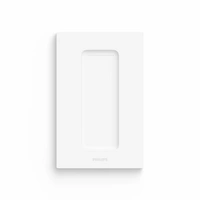
Magnetische Wandhalterung
App kompatibel


Magnetische Wandhalterung
App kompatibel
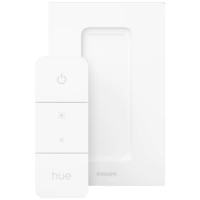
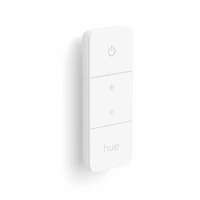
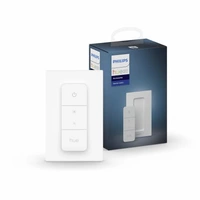
Steuern Sie Ihre Lampen von überall in Ihrem Zuhause: Erweitern Sie Ihr System mit dem Philips Hue Dimmschalter und genießen Sie stufenloses Dimmen ohne Kabel. Der Schalter funktioniert genau wie ein herkömmlicher Wandschalter mit Dimmer. Mithilfe der Schrauben oder des Klebebands auf der Rückseite des Schalters können Sie ihn flexibel im Raum befestigen.
Flexibles Programmieren von Lieblingseinstellungen via Hue App
Hue Lichtszenen nach Tageszeit einstellbar und unkompliziert mit dem Dimmschalter V2 abrufbar.
Neu bei Philips Hue?
Um eine Philips Hue Lampe zu steuern, brauchen Sie: A. Philips Hue Wireless Dimming Set. Für eine einfache und sofortige Steuerung können Sie dem Philips Hue Schalter Ihre Philips Hue Lampe hinzufügen. B. Mit der Philips Hue Bridge und der Philips Hue App können Sie das Erlebnis genießen, vollständig verbunden zu sein. Es gibt zwei Möglichkeiten, eine Philips Hue Bridge zu erhalten. (1) Sie können ein Starter Set inklusive Lampen und einer Bridge kaufen. (2) Sie können eine separate Bridge kaufen und davon ausgehend Ihr eigenes Philips Hue System zusammenstellen.
Inbetriebnahme/Installation:
Smartphone oder Tablet und Router notwendig. Lampen eindrehen, Bridge via mitgelieferten LAN-Kabel und Netzteil an einen Router sowie an eine Stromquelle anschließen, App herunterladen und den Anweisungen in der App folgen. Die Lampen sind automatisch im System und können per App gesteuert werden.
iOS, Android
08719514274617, 08719514274624, Philips Hue, 27461700, Dimmer Switch V2, Funksteuerung